How Much Grayscale Do You Really Need for Different LED Display Applications?
📅 Apr 21, 2026
News
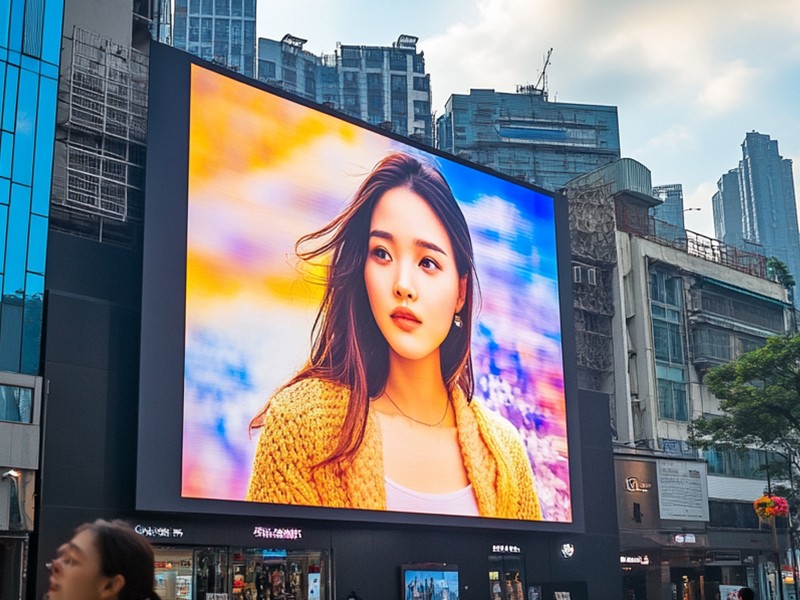
Not every scenario requires ultra-high grayscale. Choosing the right level based on actual usage can significantly reduce costs without sacrificing performance.
Recommended Grayscale by Application
| Application | Recommended Grayscale | Why It Matters |
|---|---|---|
| Indoor meeting rooms / exhibition halls | ≥ 12-bit (4096 levels) | Close viewing distance requires clear details and smooth gradients |
| Film production / broadcast studios | ≥ 14-bit (16384 levels) | Professional content demands high color accuracy and fine tonal control |
| Outdoor advertising / stadium screens | 10–12 bit | Viewed from a distance under strong ambient light |
| Traffic signs / information displays | 8-bit (256 levels) | Mainly text-based content; basic grayscale is sufficient |
How to Verify Grayscale When Buying
1. Check Specifications Carefully
- Native vs. processed grayscale
Always ask whether the quoted grayscale is native (hardware-based) or enhanced via software interpolation. Native grayscale delivers more accurate results. - Controller output capability
Confirm how many bits the control system actually supports. A high-spec panel is useless if the controller bottlenecks performance. - Gamma correction support
Ensure the system supports gamma correction. This improves grayscale performance, especially at low brightness levels.
2. Perform Practical Tests
- Low-brightness video check
Request real footage at reduced brightness. Focus on shadow areas—do details remain visible? - Gradient test pattern
Play a black-to-white gradient image. Look for:- Banding (visible steps)
- Sudden jumps in brightness
- On-site inspection (if possible)
Lower the brightness manually and observe image consistency and detail retention.
Grayscale vs. Other Key Parameters
Grayscale does not work in isolation. You need to balance it with refresh rate and brightness:
- High grayscale + low refresh rate → may cause flickering
- High grayscale + low brightness → requires high-quality driver ICs
- Best practice:
- 14-bit grayscale + ≥3840Hz refresh rate for premium performance
FAQs
Is higher grayscale always better?
Not necessarily. Beyond 16-bit, the human eye can barely perceive improvement, but costs increase significantly. Choose based on real needs.
Is grayscale the same as brightness?
No.
- Brightness = how bright the entire screen is
- Grayscale = how many brightness levels each pixel can display
You need both for optimal image quality.
What should overseas buyers pay attention to?
- Ensure the control system supports local video standards (e.g., NTSC / PAL)
- Request English documentation and user manuals
- Confirm that grayscale parameters are adjustable and configurable
Conclusion
Selecting the right grayscale is about fit-for-purpose optimization, not chasing maximum specs. By aligning grayscale with your viewing distance, content type, and environment—and validating it properly—you can achieve excellent visual performance without overspending.