How to Rotate IMAG for Diamond LED Screens Without Adding Latency
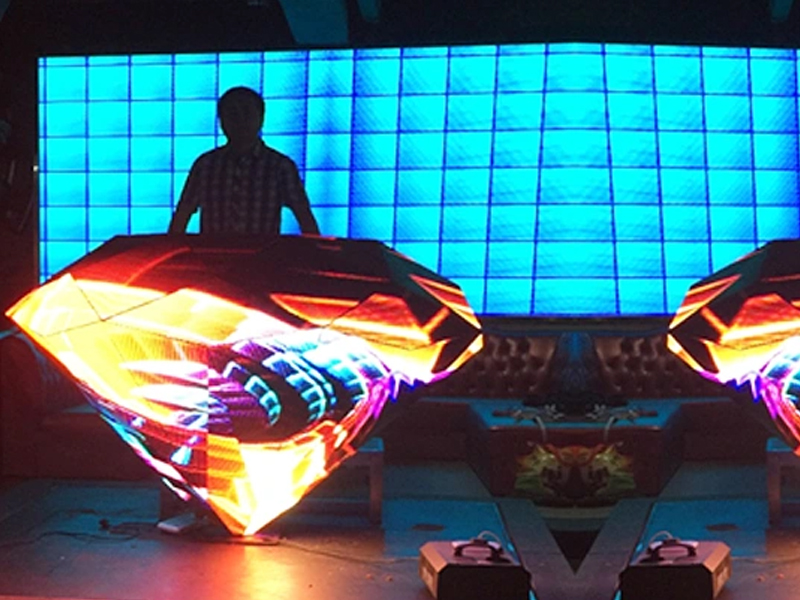
Creative LED displays continue to reshape the live event industry. Today, many stage designers use diamond LED screens, tilted LED walls, and other unconventional layouts to create immersive visuals that immediately capture attention. However, once a screen rotates 45 degrees, traditional video workflows become far more complicated.
One Reddit discussion focused on a common challenge:
How do you rotate live IMAG content 45 degrees for a diamond-shaped LED screen while keeping latency extremely low?
The discussion revealed several important insights about LED processors, media servers, hardware workflows, and creative screen mapping. More importantly, it highlighted why low-latency processing has become critical for modern irregular LED displays.
Why Diamond LED Screens Create Video Rotation Problems
A standard LED wall uses a traditional rectangular layout. In contrast, a diamond LED screen physically rotates the cabinet structure by 45 degrees. As a result, the incoming camera feed also appears tilted.
This creates a major issue during live events:
- Performers appear sideways
- Motion feels unnatural
- Audience viewing comfort decreases
- IMAG synchronization becomes difficult
Therefore, engineers must rotate the video signal before it reaches the LED display.
However, the real challenge is not the rotation itself.
The real challenge is maintaining ultra-low latency.
Why Low Latency Matters in IMAG Applications
IMAG (Image Magnification) systems display live camera feeds on large LED screens during concerts, conferences, sports events, and worship productions.
Unlike prerecorded content, IMAG requires near real-time synchronization between:
- Stage action
- Camera movement
- LED display output
Even a few extra frames of delay can create visible lip-sync problems and motion mismatch.
Because of this, many engineers avoid software-based processing whenever possible.
In the Reddit discussion, several users explained that applications like:
- vMix
- Millumin
- QLab
can rotate video successfully. However, software processing often introduces additional latency.
For cinematic playback, that delay may not matter. For live IMAG, it becomes a serious problem.
As a result, professional AV teams usually prefer hardware-based rotation workflows.
The Best Solution: Rotate the Signal Inside the LED Processor
Many experienced engineers in the discussion recommended starting with the LED processor itself.
Modern high-end processors sometimes support:
- Free-angle rotation
- Creative canvas mapping
- Geometric transformations
- Arbitrary screen orientation
This approach offers several advantages:
Lower Latency
The processor handles the transformation directly, so the signal avoids additional rendering layers.
Simpler Workflow
Engineers do not need extra media servers or software processing chains.
Better Reliability
Hardware systems typically remain more stable during live productions.
Which LED Processors Support 45-Degree Rotation?
The discussion mentioned several popular LED control platforms.
Brompton Technology
Many users noted that Brompton Technology supports free rotation natively.
This capability makes Brompton especially attractive for:
- Creative LED installations
- Touring productions
- Immersive stage design
- Irregular LED structures
Because the processor manages the transformation internally, engineers can maintain lower latency while simplifying the signal chain.
NovaStar
Several users suggested that NovaStar may only support:
- 90°
- 180°
- 270°
rotation modes in some configurations.
Therefore, certain diamond LED projects may require additional external processing when using standard NovaStar workflows.
This limitation explains why some high-end productions choose premium processors for complex creative displays.
Another Smart Approach: Rotate the LED Cabinets Instead of the Content
One particularly important idea appeared throughout the discussion:
Do not rotate the video content if you can rotate the cabinet structure instead.
This workflow has become increasingly popular in irregular LED display projects.
Here is how it works:
- Technicians physically rotate the LED cabinets 45 degrees
- The processor still treats the display as a normal rectangle
- The media server handles custom mapping
- The audience sees a diamond-shaped visual result
This strategy reduces processing complexity because the system avoids real-time signal rotation.
Today, many creative LED walls use this exact method.
It works especially well for:
- Concert stages
- Retail LED displays
- Exhibition installations
- Immersive experience centers
- Architectural LED media facades
Why 45-Degree Rotation Increases Processor Load
Another technical point from the discussion involved processor bandwidth usage.
When engineers rotate video 45 degrees, the processor must calculate a larger active pixel area.
As a result:
- The bounding box expands
- Empty pixel regions increase
- Processing requirements rise
- Output bandwidth consumption grows
This becomes especially important in:
- Large-format LED walls
- 4K and 8K displays
- Multi-output systems
- High-refresh-rate projects
For this reason, engineers must carefully evaluate processor capacity before designing large diamond LED screens.
Even advanced processors can experience resource limitations when handling multiple rotated outputs simultaneously.
Common Equipment Used for Diamond LED Screen Projects
The Reddit discussion referenced several professional video and LED systems frequently used in creative display projects.
LED Processors
- Brompton Technology
- NovaStar
Video Processors
- Barco E2
- Barco ImagePRO-4K
Video Switchers
- Roland Pro A/V V-160HD
- Blackmagic Design ATEM
Media Servers
- Disguise
- Pixera
These systems help engineers manage:
- Creative screen mapping
- Real-time rendering
- Irregular display geometry
- Multi-screen synchronization
- Advanced stage visuals